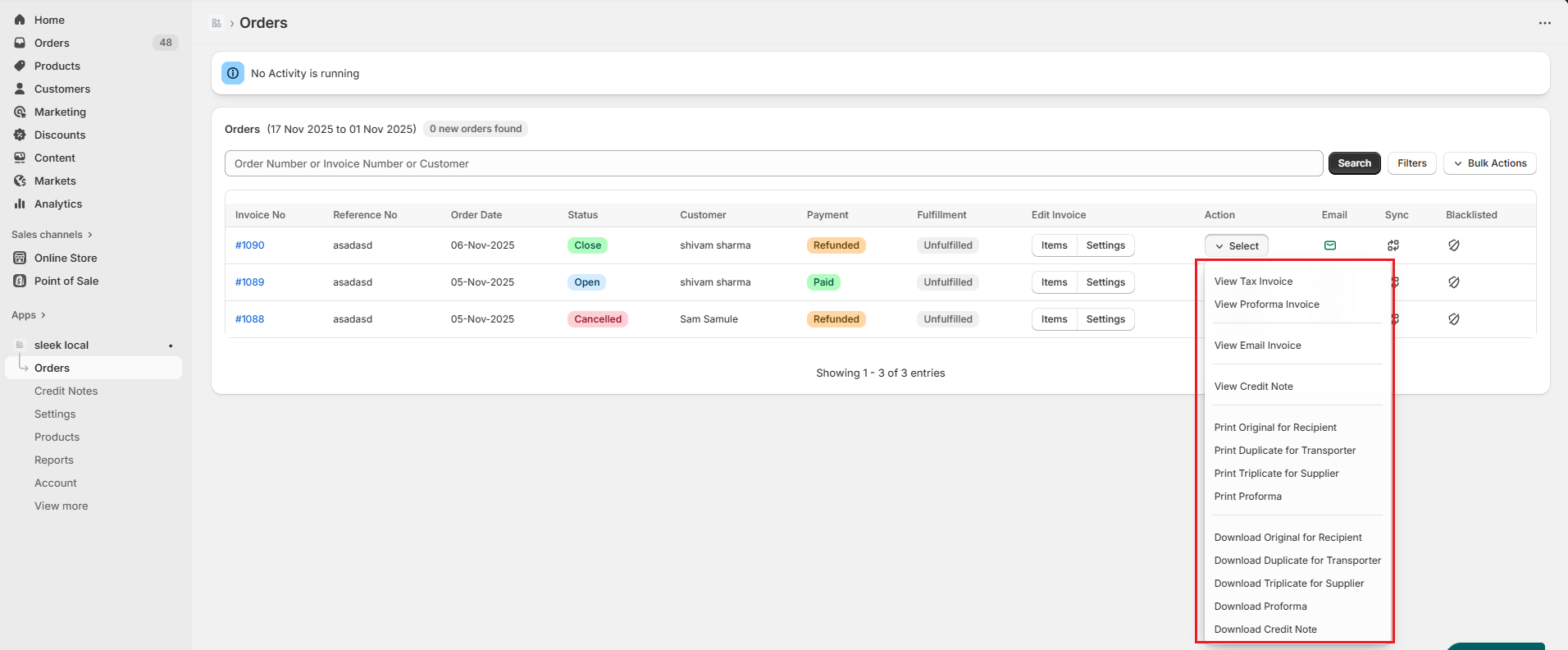
How can I view, email, print, and download the invoice?

Gaurav S
Last Update sebulan yang lalu
With the Sleek app, you can access the invoice for the particular order to view, email, print, and download in the dashboard itself.
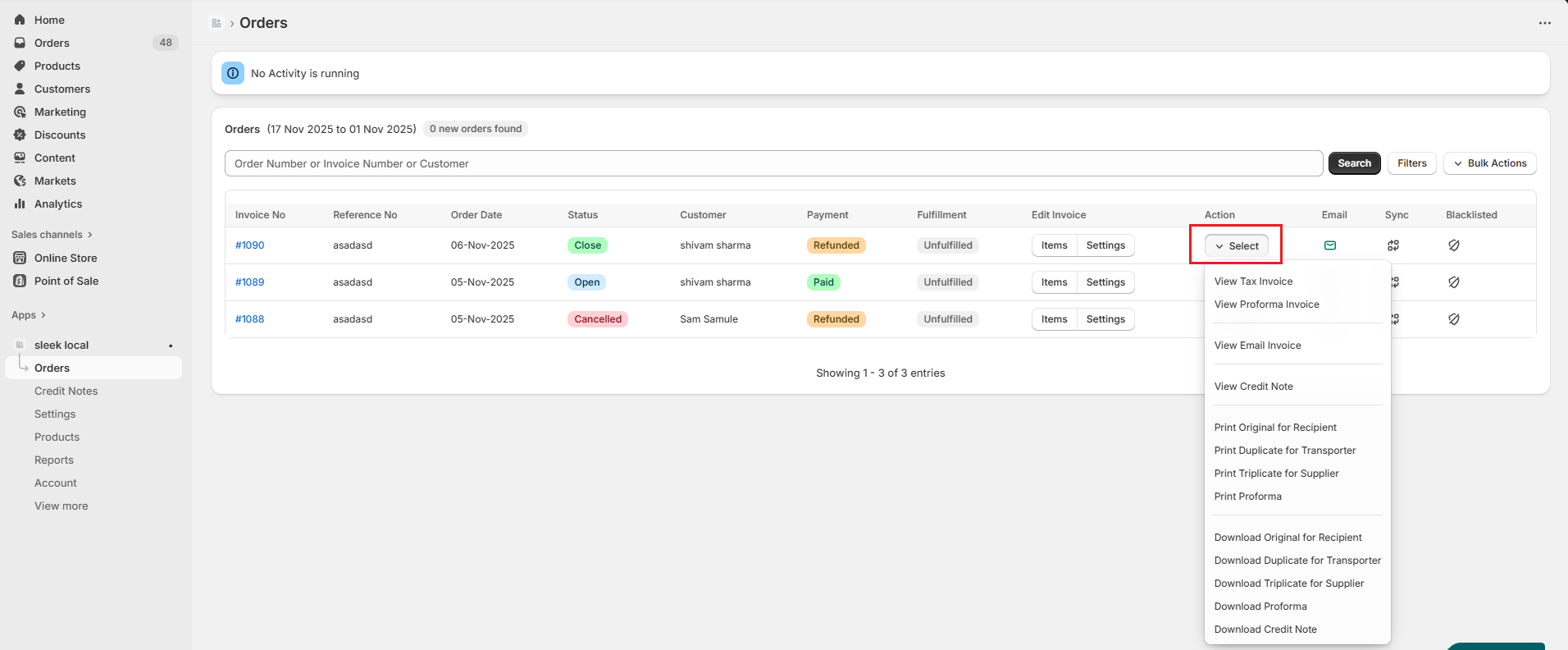
- Simply go to Sleek dashboard-->Orders-->hover over the particular order>Under Action column click on Select button.
2.Select the action you want to perform.